πŸ“¦ Core Feature

Inventory Log & Catalog

Track, manage, and organize your entire inventory in one place. With real-time stock levels, barcode scanning, and smart categorization β€” take your business operations to the next level.

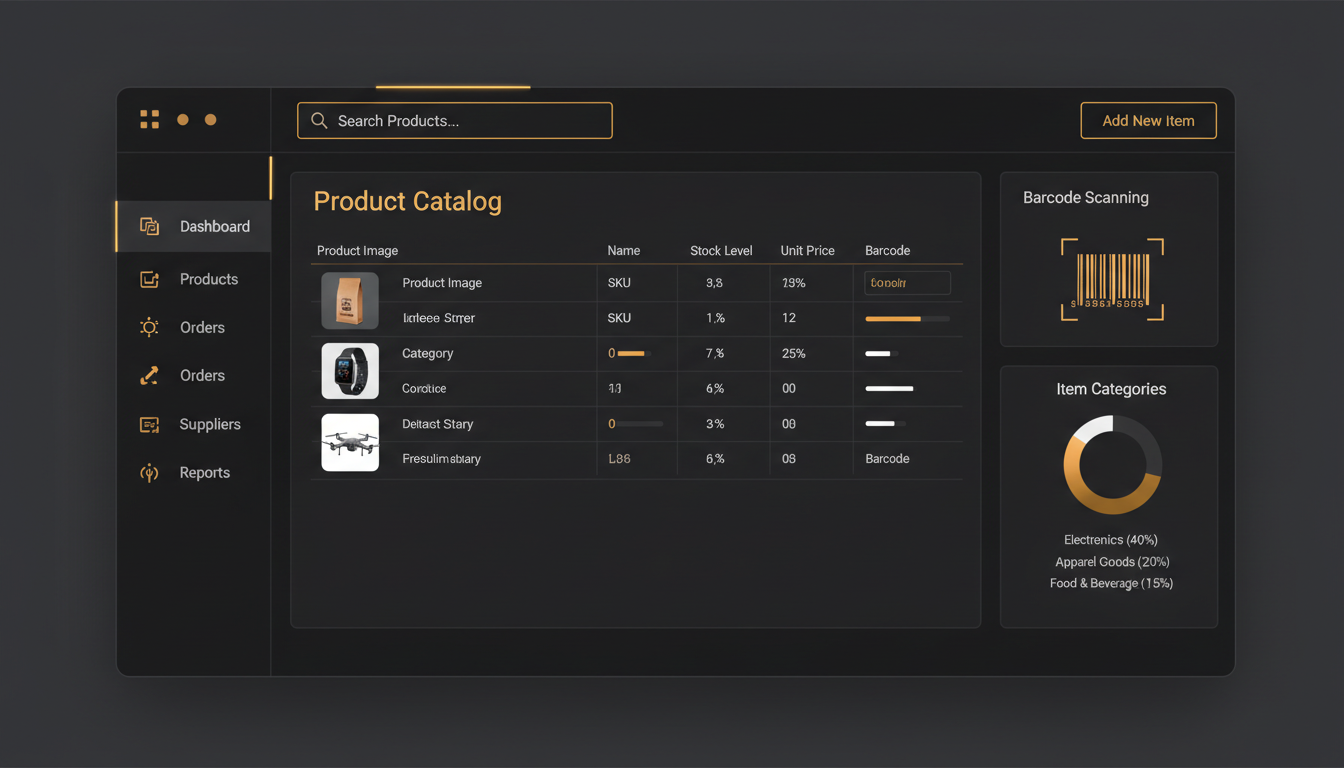
Inventory Log & Catalog Dashboard - InventoryVerse
What Is Inventory Log & Catalog?

Your Complete Digital Command Center for Inventory

Inventory Log & Catalog feature is by far the greatest aspect of InventoryVerse, as it helps keep a digital record and manage all products, items and stock at your place of business. This component is a central repository for you to retain the complete history of every product you own - and that includes the name, description, category, price, stock, barcode, photo, and so on.

This is similar to maintaining a digital log (or diary) of everything you have kept in your warehouse. Everything that is kept in your warehouse must also be kept up-to-date with real-time information, and you can access the complete history of every product with just one click. That's how powerful the Inventory Log & Catalog (InventoryLog & Catalog) are.

Regardless if you are a small retailer with a small warehouse, or if you are a large warehouse manager - this tool makes managing your products easier, quicker, smarter, and error-free.
Inventory Log & Catalog Concept
Why It Matters

Why Should You Use Inventory Log & Catalog?

The foundation of every successful business lies in its organized inventory. Discover why this feature is a game-changer for your operations.

Avoid Becoming Out of Stock

Have your top-selling product ever been out of stock at a moment when a client needed it? With Inventory Log, you can get immediate notifications on your product stock levels and never run out of stock again.

Analytics for Current Sales

Are there certain products selling quickly, and others slower? With an Inventory Catalog, you will have analytical measurements that will assist you in making sound purchasing decisions and help to keep you from acquiring dead inventory.

Wasting Time

Stop wasting hours tracking inventory using a manual logging system or by using Excel spreadsheets. The Inventory Log will automatically track your complete inventory for you while helping to eliminate human errors.

Minimize Your Expenses

Both over-stocking and under-stocking will result in loss of income. By utilizing smart inventory controls, you will ensure that you only buy what is needed and that you use your financial resources effectively.

Team Co-operation

Your sales team, warehouse staff and purchasing department will have a view of inventory from a single location; resulting in less problematic, clearer communication and greater team cooperation.

Preventing Loss and Theft

All items will be logged and tracked. If an item goes missing, or becomes damaged you will be made aware of it immediately, through this is made possible by the complete audit trail. Your inventory will be secure and safe because of this complete audit trail.

Key Benefits

Benefits of Inventory Log & Catalog

See how this feature transforms your business operations β€” here are the major advantages.

Barcode & QR Code Scanning

Scan any product by using barcode or QR code to quickly get all its detailed information. No more manual entry, speeding up and making more precise.

Real-Time Stock Updates

After every sale, purchase or return occurs; your stock is updated automatically, so you will always have the most current, accurate stock status.

Smart Categorization

Group products according to their category, sub-category, brand, size or colour, so it can take seconds to find the item you are searching for with intelligent filtering.

Multiple Warehouse Support

Is managing more than one warehouse an issue? Track your inventory within each warehouse separately and still have a complete overview of your entire operation.

Low Stock Alerts

When an item’s stock falls to or below its minimum threshold, an alert will automatically notify you so you can reorder in time and avoid stockouts before they occur.

Export & Reports

Export inventory data to Excel, PDF, or CSV, and generate reports like stock valuation, stock movement history, aging reports, etc.

Powerful Features

What's Inside the Inventory Log?

  • Product Information Database: Complete product profile β€” All product information in one location: names, SKUs, descriptions, product images, product prices, and product taxation.
  • Inventory Transactions History: Detailed information on the movement of products in your inventory β€” dates of receipt, dates of sale, sales history, dates of return, and complete sales transaction history.
  • Batch & Expiry Date Tracking: Ability to track batch numbers and expiry dates on all perishable products. Also has full support for FIFO/LIFO inventory management methods.
  • Custom Fields: Custom fields specified to your business and the products sold by your business. Any product-related attributes, such as size, color, weight, or material can be tracked and recorded.
  • Bulk Import/Export of Products: Easily upload thousands of products at one time using .csv or .xls files. A great way for new businesses to migrate product information and get up and running quickly.
  • Advanced Search & Filter: Easily search and filter through your list of products using our advanced search capabilities. Search by product name, SKU, product category, or barcode.
Inventory Log Features
How It Works

Get Started in 4 Simple Steps

Setting up Inventory Log & Catalog is incredibly easy. Just follow these 4 straightforward steps.

1

Input Your Items

Manually enter individual items (or in bulk through CSV/Excel) (other items will be entered through manual entry) including the name of the item (SKU) and so forth.

2

Create Categories

Categorise all of your items into categories and subcategories so that you can organize your items and find them faster by search through smart tagging.

3

Monitor Inventory Levels

Your items automatically keep track of inventory levels. When they are sold, purchased or returned, those will be recorded in your inventory as well.

4

Generate Reports

You can generate full inventory reports including stock valuation, movement analysis and low stock alerts (and so on) all from your exclusive report dashboard.

Impact Numbers

The Real Impact of Inventory Log & Catalog

0%

Stock Accuracy Improvement

0%

Time Saved on Inventory Tasks

0%

Reduction in Stock-Outs

0%

Cost Savings on Inventory

Product Catalog

Digital Product Catalog β€” Your Virtual Showroom

  • Rich Product Profiles: A rich product profile contains high-quality images, descriptions & specifications, along with pricing information for every product in your catalog.
  • Category Hierarchy: You can create a 3 level category hierarchy (Main Category > Sub Category > Product). This will help organize your products & make them easier to navigate.
  • Variant Management: You can manage multiple variants of a single product (i.e., size, color, material) all under one parent product.
  • Price Lists: You can create different price lists based on customer type; i.e., wholesale, retail and/or VIP with all lists being managed from one location.
  • Product Linking: You can link products that are related to one another (i.e., products, accessories, bundles) to easily increase cross-selling & upselling opportunities.
Product Catalog Features

Upgrade Your Inventory Management Today

Try InventoryVerse's Inventory Log & Catalog feature β€” 14-day free trial, no credit card required.

No credit card required 14-day free trial Cancel anytime